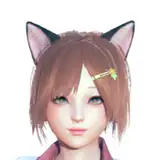
Atelier Ryza First 5 Mods - Divertimento Embrace & Summer Adventure
Added 2019-12-19 16:09:29 +0000 UTCDear Atelier Fans,
Thank you so much for visit my Patreon.
Download these 5 Atelier Ryza Mods,
Enjoy & Have Fun.. 😊
1. Divertimento Embrace Outfit Mod 04 - Shorter Mini Skirt & Clear Upper Lace


2. Summer Adventure Outfit Mod 01 - Simple Cloth & Pants


3. Summer Adventure Outfit Mod 02 Alternate Colors - Black, Blue, Yellow


===============================
Divertimento Embrace :
Where to put the mod :
“C:\Program Files (x86)\Steam\steamapps\common\Atelier Ryza\Data\x64\character\pc00d\”
Or if you install to different folder, then follow this path :
“[Steam Game Folder]\Atelier Ryza\Data\x64\character\pc00d\”
===============================
Summer Adventure :
Where to put the mod :
“C:\Program Files (x86)\Steam\steamapps\common\Atelier Ryza\Data\x64\character\pc00h\”
Or if you install to different folder, then follow this path :
“[Steam Game Folder]\Atelier Ryza\Data\x64\character\pc00h\”
===============================
Summer Adventure Black Color :
Where to put the mod :
“C:\Program Files (x86)\Steam\steamapps\common\Atelier Ryza\Data\x64\character\pc00e\”
Or if you install to different folder, then follow this path :
“[Steam Game Folder]\Atelier Ryza\Data\x64\character\pc00e\”
===============================
Summer Adventure Blue Color :
Where to put the mod :
“C:\Program Files (x86)\Steam\steamapps\common\Atelier Ryza\Data\x64\character\pc00f\”
Or if you install to different folder, then follow this path :
“[Steam Game Folder]\Atelier Ryza\Data\x64\character\pc00f\”
===============================
Summer Adventure Yellow Color :
Where to put the mod :
“C:\Program Files (x86)\Steam\steamapps\common\Atelier Ryza\Data\x64\character\pc00g\”
Or if you install to different folder, then follow this path :
“[Steam Game Folder]\Atelier Ryza\Data\x64\character\pc00g\”
===============================
Password file : TheSilverVox
Download Mods on Attachment.
===============================
New to Atelier Mod?
Don't know how to use it?
Follow my step by step instructions :
Still Have Question? Frequently Asked Questions (FAQ)
Feel free to send me a message if you have any problem with setting up mods.
Thank you so much,
The Silver Vox
Note : Stay tune for more new upcoming Patron only mods