Elevate your VRChat avatar creations to new heights with the Atlas VRFX Studio Light! Effortlessly install this versatile lighting solution with a simple drag-and-drop process in Unity using the free VRCFury plugin. Drag-and-Drop it onto your avatar, upload and begin creating!
Illuminate with Ease: Say goodbye to complicated setups and endless world hopping. This studio light offers intuitive controls and a user-friendly interface, making it easy to achieve professional-quality lighting for your avatars and vrchat worlds!
Customizable Brilliance: Take control of your lighting environment like never before. Adjust the height and angle of the studio light to find the perfect illumination. Customize brightness, color, and temperature to match any mood or aesthetic. With the option to disable shadows, you can achieve a clean and polished look for your avatars. Or go for something more dramatic!
Versatile Utility: Whether you're hosting a photoshoot, creating TikTok videos, producing YouTube content, or working on film projects, the Atlas VRFX Studio Light is your go-to lighting solution. Transform any world into the perfect setting for your creative endeavors.
Drag-and-Drop Installation: It's that simple! Rather than alternatives that require you to setup world constraints manually, this asset is even easier to install. Simply open your avatar in Unity, drag the prefab into your avatar in the Hierarchy and Upload! Build, Upload, Enjoy!
Pre-Installed Menus: Hate dealing with the menu system in VRCFury or the SDK itself? Don't stress! It's already configured and ready to go! Once the asset is installed, a sub-menu will appear with all of the controls, ready to go, so you can adjust the light on the job. Featuring custom icons for all the controls for easy of use!
Use With Friends: Is one light not enough? Friends can also buy this Studio Light and use them together to achieve more complex lighting to get the dramatic effects you want! (Disclaimer, the asset must still be purchased by both parties. Multiple lights cannot be used on the same Avatar)
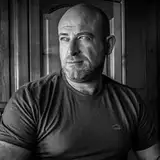
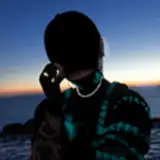
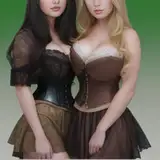
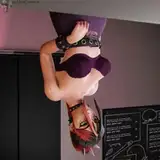
Additional Example Photos:
For Further Inquiries, contact me on Telegram or Twitter/X!
Telegram: https://t.me/The_Atlas_Callisto
Twitter: https://twitter.com/AtlasSpaceWulf
By purchasing and/or downloading the "Atlas VRFX Placeable Studio Light" digital asset ("the Asset"), you agree to the following terms and conditions:
By purchasing and/or downloading the Asset, you acknowledge that you have read, understood, and agree to be bound by these terms. If you do not agree with any of these terms, you are not authorized to use the Asset.
For inquiries or permission requests, please contact Telegram: t.me/The_Atlas_Callisto.
Atlas VRFX reserves the right to update or modify these terms at any time without prior notice. Please review these terms periodically for any changes. Purchasing customers will be notified via email of any changes to the license terms.
Version 1.1 - LATEST (Installation Instructions below):
New Features & Improvements:
· Added “Very Low” height option.
· Added "Hide Rig" option to toggle rig visibility.
· Added "Light Range" options for distance: 8m & 30m (default set at 15m).
· Added "Light FOV" options for width: 70°, 110°, & 160° (previously fixed at 150°).
· Moved features into separate game objects for easy parameter simplification. (See Note 3)
Changes & Bug Fixes:
· Smoothened light brightness adjustment to be more gradual in the 0-50% range.
· Smoothened hue color adjustment to be more gradual and balanced.
· Doubled the maximum light brightness intensity.
· Massively reduced light bloom. (If it’s still too much, you can hide the light now)
· Increased max light angle upwards to vertical (straight up).
· Increased cool light temperature to 20,000K.
· Removed unused old rig height float parameter. (See: Note 2)
· Removed toggles for default states to save parameters.
· Fixed stray pixels on existing menu icons.
· Increased AVRFX logo resolution from 256 to 512 for better readability from distance.
· Light now deploys slightly further away to better suit larger avatars.
· Updated light model for improved appearance.
Important Notes:
1. This light now uses 43 parameters. (But accidentally used 46 in the V1.0 release) meaning this actually uses less parameters than before.
2. These were accidentally being used and are now being used for new features.
3. You can remove the FOV, Range & Height Adjustment Features by deleting the following game objects, if you need to simplify your parameters for it to fit again. (Don’t delete core toggles, they are required for basic functionality.)

4. Light scale was a requested feature, if you want to scale the light, set the toggle tool handle position to pivot and scale it appropriately. This avoids me using parameters.

NOTE: This asset actually uses 46 parameters, not 38, I'd really recommend using the new version.
BEFORE YOU BEGIN- PLEASE READ THIS:
VRCFury 1.794 or newer is REQUIRED for this asset to work correctly!
Update it in your VCC or Install it from: https://vrcfury.com/
You will need at least 38 parameter units available before the installation of this asset. If you don't have space, you may need to simplify your parameters, or upload this to a separate avatar that is more simplified for this asset to fit.
Import the Unity Package into your Avatar project.

(Optional) Install VRCFury or Update it to V1.794 or above

Navigate to Props -> Studio Light -> Atlas VRFX Studio Light

Drag Atlas VRFX Studio Light.prefab onto your Avatar Root inside the Heirarchy

Disable the Atlas VRFX Studio Light in the Hierarchy

Build and Upload

If you experience any bugs or issues, please contact me on one of the socials below before leaving a review:
Telegram: https://t.me/The_Atlas_Callisto
Twitter: https://twitter.com/AtlasSpaceWulf
Please let me know you're coming from Gumroad in your first message or I may not see it due to spam filters.
On PC, the left side of your browser window should have an option to leave a review! If you like the product, it would help a lot if you could leave a review! Thank youuuu!