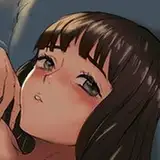
テスト投稿です。 今回、Latent Coupleを使用してイラストを生成しました。 Latent Coupleとは複数の女性を描き分けられるようになる拡張機能です。 画像生成AIは複数の女性を描き分けるのが苦手です。 たとえば、左側の女性にメガネをかけさせて、右側の女性に麦わら帽子をかぶせたい場合があるとします。 プロンプトで指定すると二人ともメガネをかけて麦わら帽子をかぶってしまうのです。 この問題を解決したのが1枚目のイラストです。 同時に髪型と髪色、胸の大きさも描き分けています。 左側の女性は「ポニーテール+黒髪+平らな胸」で右側の女性が「ボブカット+金髪+大きな胸」です。 2枚目の3人組も同じように描き分けています。 左の女性は「黒髪+ショートカット」で真ん中の女性は「茶髪+ボブカット」で右の女性は「金髪+セミロング」です。 残念ながら髪型は指定しても安定しません。 ショートカットを指定してもベリーショートになったり、ボブカットなのにショートになったり、セミロングなのにショートになったりします。 それでも髪色は描き分けることができています。 Latent Coupleはイラストを生成する領域を分割して、指定の位置にプロンプトが効くようにする機能です。 2枚目の場合は縦に三分割して「左、真ん中、右」にそれぞれの女性のプロンプトを指定しています。 2枚目のイラストは全員が「平たい胸」ですが、真ん中の女性を「大きな胸」にすると問題が発生します。 真ん中の女性の領域に、左右の女性の胸が少しでも接触すると、接触した胸だけが膨らんでしまうのです。 なお、全員が「大きな胸」にすると問題は発生しません。 画像生成AIには色移りという現象があり、それを抑える拡張機能がありますが、完璧に制御することはできません。 たとえば、「ピンク髪の女性」を生成すると肌の色がピンクがかってしまいます。 同じように「紫髪の女性」を生成すると肌の色が紫がかってしまいます。 左側の女性を「ピンク髪の女性」にし、右側の女性を「紫髪の女性」にすると、色が混ざって肌の色が変色してしまいます。 複数の女性を指定する場合は「黒髪」「茶髪」「金髪」のみにしたほうが肌の色に影響が及びません。 3枚目のイラストもLatent Coupleを使用してポーズを指定しました。 二人に同じポーズを取らせることも可能になりましたが、このポーズは安定して生成できないのは変わりません。 4枚目のイラストはキスです。 Latent Coupleを使用することで髪型と髪色を指定できます。 女性同士のキスに需要があるかはわかりませんが、生成できるという例を見せるために掲載します。 5枚目のイラストは以前のリクエストで4人組をご所望された方へ向けて生成しました。 Latent CoupleとControlNetを組み合わせることで実現することができました。 ただ、一人だけ日焼け跡が弱いので完璧とは言えません。 すべて同じ髪型、髪色で良かったのかわかりませんが、以前のリクエストのまま反映させてみました。 6枚目のイラストは最初に二人組で出来るかどうか試したものです。 7枚目のイラストも以前のリクエストで「standing pose with buttocks facing the camera」をご所望された方へ向けて生成しました。 そのリクエストでは騎乗位も選択されていたので、どちらかわからずに騎乗位のイラストを生成しました。 翻訳すると立ちポーズでお尻をカメラに向けているポーズなので、イラストの内容と合っているはずです。 後ろ姿を指定するプロンプトを使用して生成しましたが、顔が見えたほうがいいと思い、やや振り向いた指定になっています。 リクエストフォームをソフトコアとハードコアに分けることを検討しています。 また、ソフトコアのほうにソロとデュオを選択できる項目を追加したいと考えています。 三人組、四人組は修正に時間がかかるので、今のところはデュオのみにさせてください。 This is a test submission. This time, we used Latent Couple to generate the illustration. Latent Couple is an extension that allows you to draw multiple women. The image generation AI is not good at drawing multiple women. For example, you may want the woman on the left to wear glasses and the woman on the right to wear a straw hat. If I specify this in the prompt, both women will wear glasses and straw hats. The first illustration solves this problem. At the same time, the hair style, hair color, and breast size are drawn separately. The woman on the left has "ponytail + black hair + flat chest" and the woman on the right has "bob cut + blond hair + large chest. The second group of three is drawn in the same way. The woman on the left has "black hair + short cut", the woman in the middle has "brown hair + bob cut", and the woman on the right has "blond hair + semi-long". Unfortunately, the hairstyles are not stable even if you specify them. Even if I specify a short cut, it may turn out to be very short, a bob cut but short, or semi-long but short. Nevertheless, I am able to draw the hair color differently. Latent Couple is a function that divides the area where the illustration is generated so that prompting works at the specified position. In the case of the second illustration, it is divided vertically into three sections and the prompts for each woman are specified at "left, middle, and right". In the second illustration, all the women are "flat chested," but if the woman in the middle is "large chested," a problem arises. If the breasts of the left and right women come into contact with the middle woman's area, even slightly, only the breasts that come into contact will bulge out. If all the women have "large breasts," no problem will occur. Image generation AI has a phenomenon called color shift, which can be suppressed by extensions, but it cannot be perfectly controlled. For example, if a "woman with pink hair" is generated, her skin color will be pinkish. Similarly, if a "woman with purple hair" is created, her skin color will be purple. If you generate a "pink-haired woman" for the woman on the left and a "purple-haired woman" for the woman on the right, the colors will mix and the skin color will be discolored. If you want to specify multiple women, it is better to specify only "black hair," "brown hair," and "blonde hair" so that the skin color will not be affected. The third illustration also uses Latent Couple to specify the pose. It is now possible to have two people in the same pose, but this pose is still not stable to generate. The fourth illustration is a kiss. Latent Couple can be used to specify hair style and hair color. I am not sure if there is a demand for kisses between women, but I include it to show an example that it can be generated. The fifth illustration was generated for a previous request for a foursome. We were able to achieve this by combining Latent Couple and ControlNet. However, one of them has a weak tan mark, so it is not perfect. I don't know if I should have used the same hair style and hair color for all of them, but I tried to reflect the previous request as it was. The sixth illustration is the first one I tried to see if I could do a pair. The seventh illustration was also generated for a previous request for a "standing pose with buttocks facing the camera". In that request, you had also selected the cowgirl position, so I generated a cowgirl illustration without knowing which one it was. Translated, the pose is a standing pose with buttocks facing the camera, so it should match the content of the illustration. I generated it using the prompt to specify a rear view, but I thought it would be better to see the face, so I specified a slightly turned around view. We are considering splitting the request form into soft core and hard core. We would also like to add an option for solo and duo to the soft core one. Three- and four-person groups will take longer to modify, so for now, please let it be duo only.