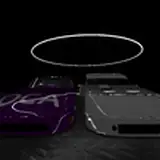
JBL - Added a new derby arena called the Pool Table on the Derby Fun 2 Map. Check out the screenshots below!


Thank you, JBL, for the awesome job on the new Arena!
1) Added MultiSeat UI options
a) Selectable controller dropdown for each player. This is used for multiseat to assign the available controllers to each human player.


b) Added a controller finder tool. Each player can trigger the finder by pressing or using their controller. The finder will show in blue text on the top of The Fairgrounds main menu to show which controller they are using.

c) Added a setting to toggle for showing the driver name and controller above each vehicle. (Settings Tab)

d) During a MultiSeat derby round, it will now display a UI message showing the countdown of each player.
2) Moved the driver names for LUA to the UI interface.

3) Each driver's name can now be assigned in the UI. The driver names will be random at first but can be manually changed by typing in the name field.

4) Starting the scenario will now trigger a new intro video.

5) Freeroam camera has been fixed.
6) Heats should be loading correctly again.
7) Deleting vehicles or adding new vehicles manually is not allowed anymore. (Pausing after clicking play)

You are still allowed to manually replace each vehicle and select a custom configuration.
8) Starting the scenario with two different mods selected (player vs opponent) would only load vehicles from the player mod. This was causing the wrong vehicle to spawn for the opponent. This has been corrected to load each mod selected per opponent.
9) Reloading the scenario caused the opponent players to reset to Auto Select. This has been fixed to keep the original vehicle selected. If the config option is still available.
10) Fixed the parts menu option.
11) Changed the stats app to display the driver's name.

12) Changed the Opponent List in the Opponent Menu to be scrollable.
13) Fixed a bug in the opponent menu when going down in the number of opponents. It will now remove the extra's from the Opponent List.
How to install
BeamNG is required to play this mod.
1) Download the file attached to this post and then run the installer.

2) Choose Allow or Keep for any popup messages for windows defender or your virus scanner.
3) Click Install and agree to the license.

4) The installer will download the required files.

5) Once the install has finished startup BeamNG.


6) In Scenarios or Freeroam find The FairGrounds Mod

ENJOY!
If the attached download does not work. Try the direct download link below.
The Direct Download Link needs to be installed in your BeamNG mods folder. You will need to manually delete any green_derby.zip or demo_green_derby.zip files in the mods and repo folder.

Kelly Kultgen
2022-09-22 16:40:36 +0000 UTCKelly Kultgen
2022-09-22 16:06:54 +0000 UTC