Features
1. Animation
- define the custom active timeline range (0-360) for the animation using the top two markers or in the popup menu.
- auto animation playback.
- denoiser can be automatically enabled for each frame of animation and turntable rendering.
2. Palette
- use
2023-05-29 10:00:10 +0000 UTC
View Post
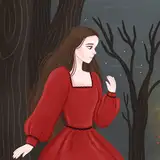
1. Stroke->Bezier Curve->H [Image 4]
High quality linear tapered Bezier Curve.
It fixes the cracks in the corners with large curvature observed in previous versions and some other sdf tools.
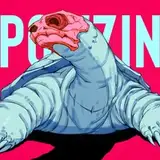
2. Stroke->Bezier Curve->Muscle Taper [Image 1]
4-point muscle tap...
2023-03-25 20:46:54 +0000 UTC
View Post
Update this weekend:
1. Stroke->Hq
High quality linear tapered Bezier Curve.
It fixes the cracks in the corners with large curvature observed in previous versions.
2. Stroke->Muscle Taper:
4-point muscle taper: curved center tapered curve
2023-03-22 06:27:23 +0000 UTC
View Post
[Features]
1. Matter->Media
Media->Color determines how the light is absorbed by the media.
Media->Density It can be set above 100.
Media->Phase determines how the media scatt...
2023-02-26 18:29:32 +0000 UTC
View Post
(let's try out the video feature of patreon...)
There will be a new Media material property for each object in the next update.
the density controls the density of scattering. if it's zero, then it's as transparent as the previous glass material.
the phase c...
2022-12-22 22:08:13 +0000 UTC
View Post
I. Dual Material per Object.
You can define two materials Matter->A/B for each object
Use Blend->A/B of stroke to specify which material is assigned to which stroke.
You can then create some embedded and blended materials effects.
2022-12-11 18:16:46 +0000 UTC
View Post
1. Two Materials per Object.
Use Blend->A/B to specify which material is assigned to which stroke.
In this way, you can create some embedded and blended materials effects.
2. Color Override
You can define one override color for each material.
...
2022-12-09 08:53:36 +0000 UTC
View Post
I. Interactive Render Mode
You can edit shapes, select and move objects around in the render mode.
Objects can be assigned different materials.
Only materials are stored in the file so far.
II. Material Menu
Here are some common setups:
G...
2022-11-26 20:19:51 +0000 UTC
View Post
keep the rendering view interactive is challenging,
but I would like to have editing and rendering menus coexist in the same interface,
so you can adjust the shape and transform without switching views forth and back.
also need to redesign and polish the workflow while adding back the other rendering feature...
2022-10-29 04:59:27 +0000 UTC
View Post
slowly making progress in the new renderer.
material system hasn't been decided yet.
hopefully, you can edit the scene with some live noisy preview.
2022-10-22 00:56:33 +0000 UTC
View Post
I. Reference Image
1. drag and drop a png/jpg image into the editor view.
2. it only supports rendering up to 4 images right now.
3. transformation tools can be applied to images too.
[ToDo]
1. correct the drawing order for multiple reference images.
...
2022-10-08 18:00:14 +0000 UTC
View Post
[Note]
Feature set is still incomplete (e.g., Gizmo menu).
2022-09-17 09:44:42 +0000 UTC
View Post
[See screenshots and videos]
https://twitter.com/ephtracy/status/1570679565357576192?s=20&t=h7RRLPlA_Ms2zOPwYLhb7w
I Enable Forward Kinematics
By default, the...
2022-09-17 07:56:30 +0000 UTC
View Post
---------------------
[Update Log]
- There are still issues. Renderer and Exporter are not implemented yet.
- Duplicated objects are instances by default (SH...
2022-09-04 18:57:59 +0000 UTC
View Post
The planned features and tools for the first prototype are finished.
Need to take some rest before further testing and debugging.
You can freely place strokes and objects in the canvas, and choose different volume resolution for different object to save GPU RAM for more detailed objects.
You can also use ins...
2022-08-14 05:15:07 +0000 UTC
View Post
Thanks for the support! Some future plans here:
-The 0.0.x versions mainly focus on primitive and transform tools.
There will still be some updates for that.
-The 0.1.x versions will focus on adding support for Scene Editing and Instancing.
You will be able to create a larger scene with mul...
2022-08-03 22:39:14 +0000 UTC
View Post
I. Revolve Mode [Stroke->Top Bar]
You can make any stroke shape revolved around Y axis in this mode.
Especially, you can use the Bezier and line shapes to create the profile of object.
There are two new options on the top bar for the control points in this mode:
1. Keep X o...
2022-07-02 13:27:03 +0000 UTC
View Post
I. Drag and Drop strokes from the stroke shape menu
- You can drag a shape from the shape menu to the edit view to create a new stroke.
- Note that if you only click the shape button, it will only change the shape of current selected strokes.
- The new stroke will snap on the surf...
2022-06-18 14:29:18 +0000 UTC
View Post
I. Intel denoiser
can be auto enabled for each frame of anim and turntable rendering (Filter->Auto).
It's also applied to the bloom effect now.
II. Timeline range [0-360]
you can set the minimum and maximum frames for the timeline by dragging the top two markers, or...
2022-06-11 23:43:44 +0000 UTC
View Post
1. Layer & Stroke visibility: click the eye icons besides layers/strokes to toggle the visibility. hotkey: [CTRL+H/CTRL+SHIFT+H].
2. 2D/3D Line/Bezier, Rhombus stroke shapes: the line can have up to 4 control points now (but without taper). 2D/3D Line/Bezier splines are combined.
2022-06-04 06:56:15 +0000 UTC
View Post
I. Enter the size in Gizmo->Size [1]
- It will change the size of all selected strokes.
- if you want to assign size Y to size X (e.g., create square or circle), you can click Size->Y button.
- if you want to assign size X to size XY (e.g., creat...
2022-05-07 08:26:59 +0000 UTC
View Post

New Features:
1. 3/4-point 2D/3D Bezier spline: choose [Bezier/Bezier3D]->[P3/P4].
2. Trapezoid: change [Triangle]->[Top Width/Vertex].
3. L-norm Sphe...
2022-05-01 11:34:38 +0000 UTC
View Post